QuickVis Chrome Extension for GitHub
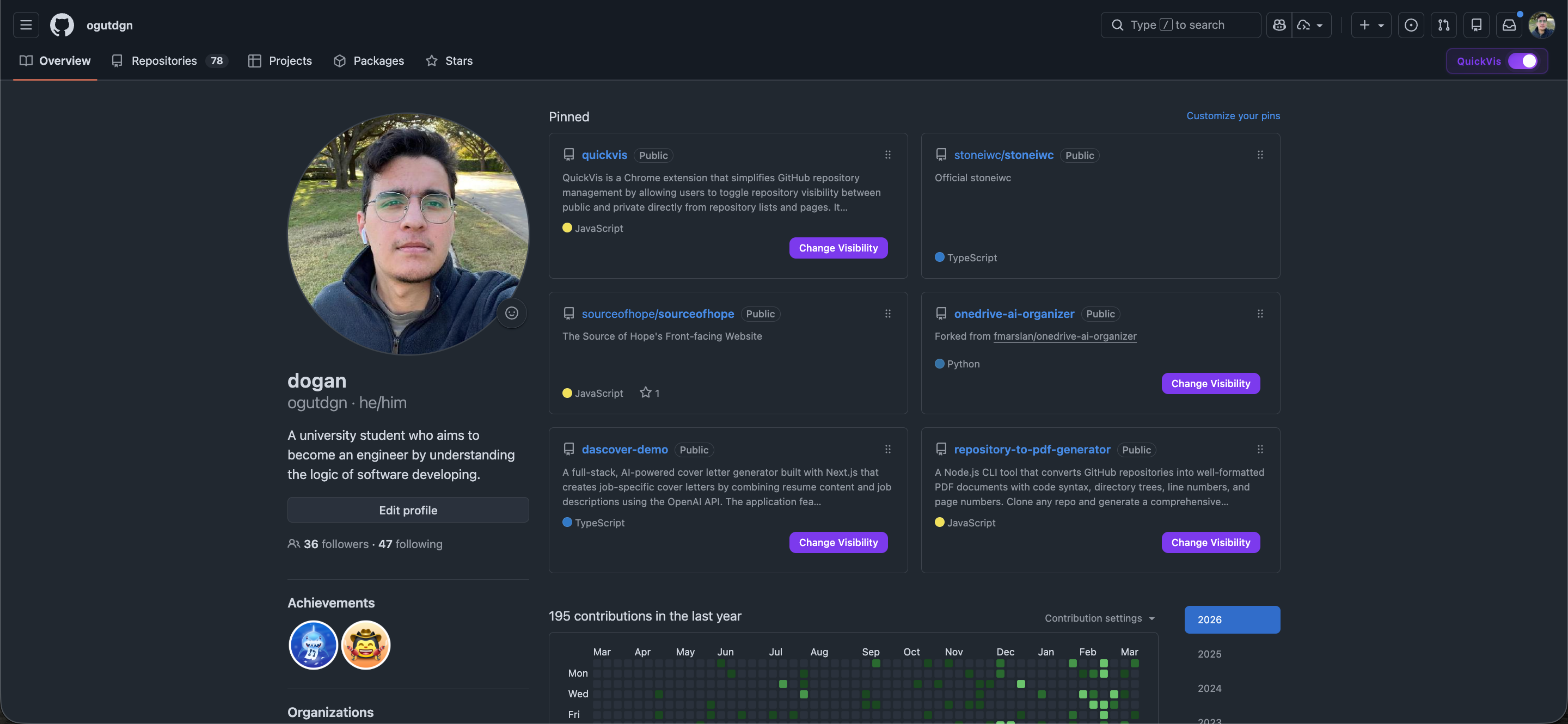
Project Overview
QuickVis simplifies GitHub repository visibility management by enabling one-click public/private toggling directly from repository listings and repository pages. Instead of navigating through multiple settings screens for each repository, the extension injects inline controls into GitHub’s UI, allowing fast and safe visibility changes using the official GitHub REST API.
Problem Addressed
Managing repository visibility on GitHub is a repetitive and time-consuming task, especially for users with a large number of repositories.
Changing a repository from public to private normally requires navigating through repository settings and confirmation flows for each repository.
This extension eliminates that friction by bringing visibility controls directly into the repository list and repository pages.
How It Works
UI Integration
- Uses a content script that runs on
github.com/*atdocument_end - Detects repository elements via stable DOM selectors in:
- User profile repositories list
- Individual repository pages
- Injects custom toggle buttons next to existing visibility badges
- Uses MutationObserver to:
- Handle GitHub’s SPA-style navigation
- Re-inject UI elements when the DOM changes
- Updates visibility badges and button states in real time after successful operations
Visibility Change Logic
- Uses the official GitHub REST API v3
- Endpoint:
PATCH /repos/{owner}/{repo}
- Payload:
{ "private": true | false }
- All operations are authenticated and scoped strictly to the user’s own repositories
Authentication & Authorization
- OAuth 2.0 Authorization Code Flow via Chrome Identity API
- Authentication handled in the background service worker
- OAuth flow:
- User initiates authentication from the extension
- GitHub OAuth consent screen is opened
- Authorization code is returned to the extension
- Code is sent to a Vercel-hosted Node.js proxy
- Proxy exchanges the code for an access token using the client secret
- Access token:
- Stored securely in
chrome.storage.local - Automatically expires after 7 days (enforced by the extension)
- Stored securely in
Security Considerations
- GitHub OAuth client secret is never exposed to the extension
- Token storage is handled by Chrome’s encrypted extension storage
- Server-side protections include:
- Rate limiting
- Restricted CORS configuration
- Redirect URI validation
- Automatic token invalidation and re-authentication handling
Error Handling & UX
- Graceful handling of:
- Network errors
- Authorization failures
- Expired tokens
- UI feedback includes:
- Disabled button states during requests
- Toast notifications for success and failure
- Automatic recovery prompts for expired or invalid tokens
- No page reloads required; UI updates occur instantly after API responses
Architectural Summary
- Manifest V3 Chrome extension with clear separation of concerns
- Content script handles DOM interaction and UI injection
- Background service worker manages authentication and token lifecycle
- Secure server-side OAuth proxy handles sensitive credential exchange
- Real-time UI updates driven by API responses and DOM observers
- Designed for reliability, security, and minimal user friction